Buying a camera for your home, driveway, shop, shed, or worksite can feel simple at first. You compare the image quality, check whether it records at night, and see if the price fits your budget. But the features that make the biggest difference are often the ones that are not obvious straight away. Many security cameras look similar on the outside, yet they can perform very differently once you install them and rely on them every day.
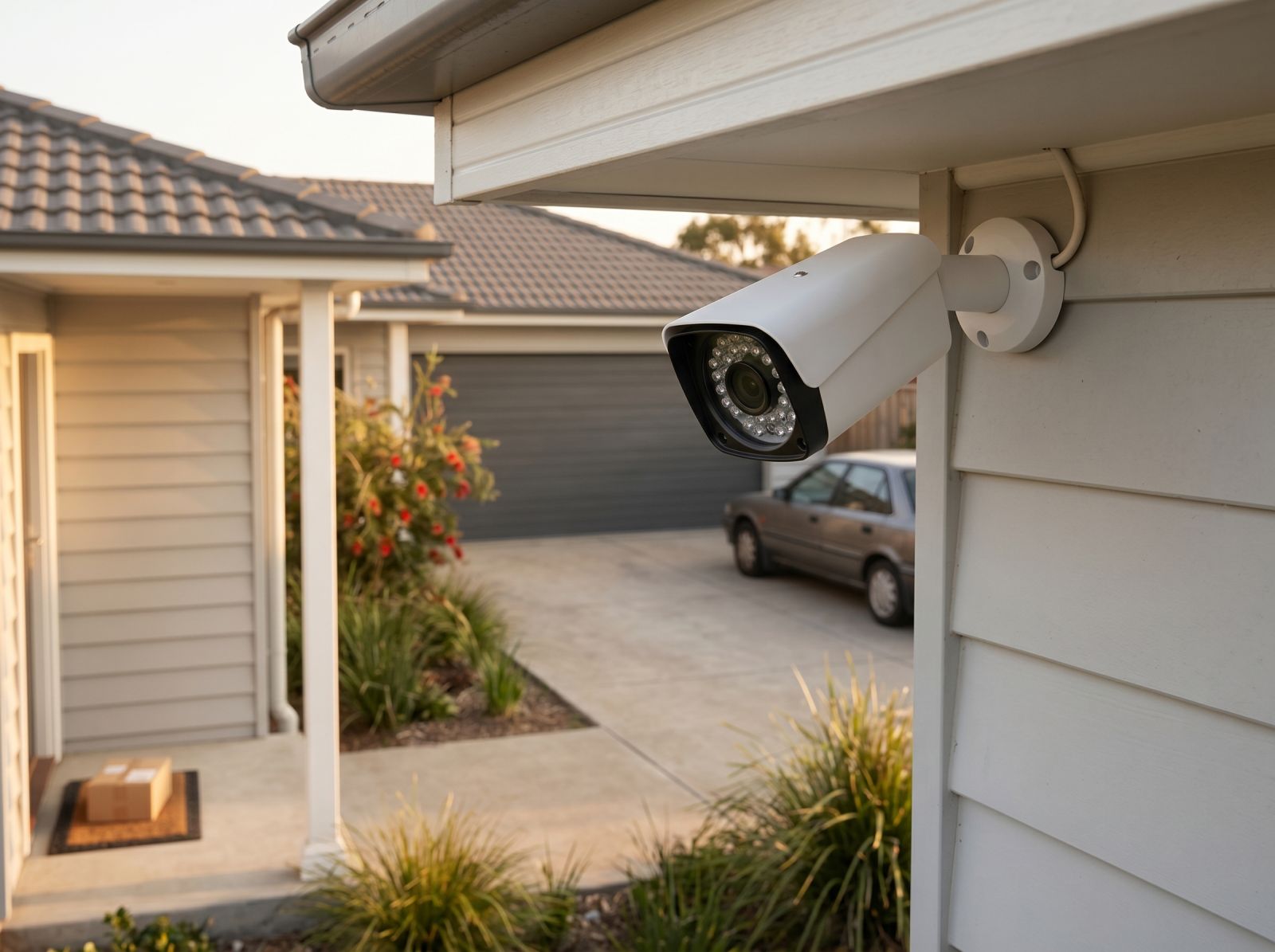
For Australian homeowners, renters, small business owners, caravan users, and tradies, the right setup is not just about recording video. It is about getting clearer footage, reducing unnecessary alerts, checking important moments easily, and choosing a system that suits your property, power access, and routine. Before you buy, it helps to know which hidden features can make a camera more useful in real life.
Why hidden features matter before you buy
A camera may advertise clear video and simple recording, but practical performance depends on how well it handles everyday situations. Bright sunlight, night-time movement, passing cars, pets, windy trees, low Wi-Fi signal, limited power points, and changing weather can all affect how useful your footage is.
Hidden features matter because they can save time after installation. A device that sends constant false alerts can quickly become frustrating. A model with poor storage options may make it harder to review past footage. A unit that is not suited to outdoor conditions may need extra care or a better mounting position.
Instead of choosing only by resolution or price, it is worth asking how the camera will work in the exact place you plan to use it.
Smarter video quality for clearer everyday footage
Video resolution is important, but it is not the only part of image quality. A CCTV camera with a higher resolution can still struggle if it handles glare, shadows, or movement poorly. When comparing options, look for features that help the camera capture useful detail in changing light.
Wide dynamic range is one feature worth checking. It helps balance bright and dark areas in the same scene. This can be useful near garage doors, front entries, windows, and driveways where sunlight and shade often meet.
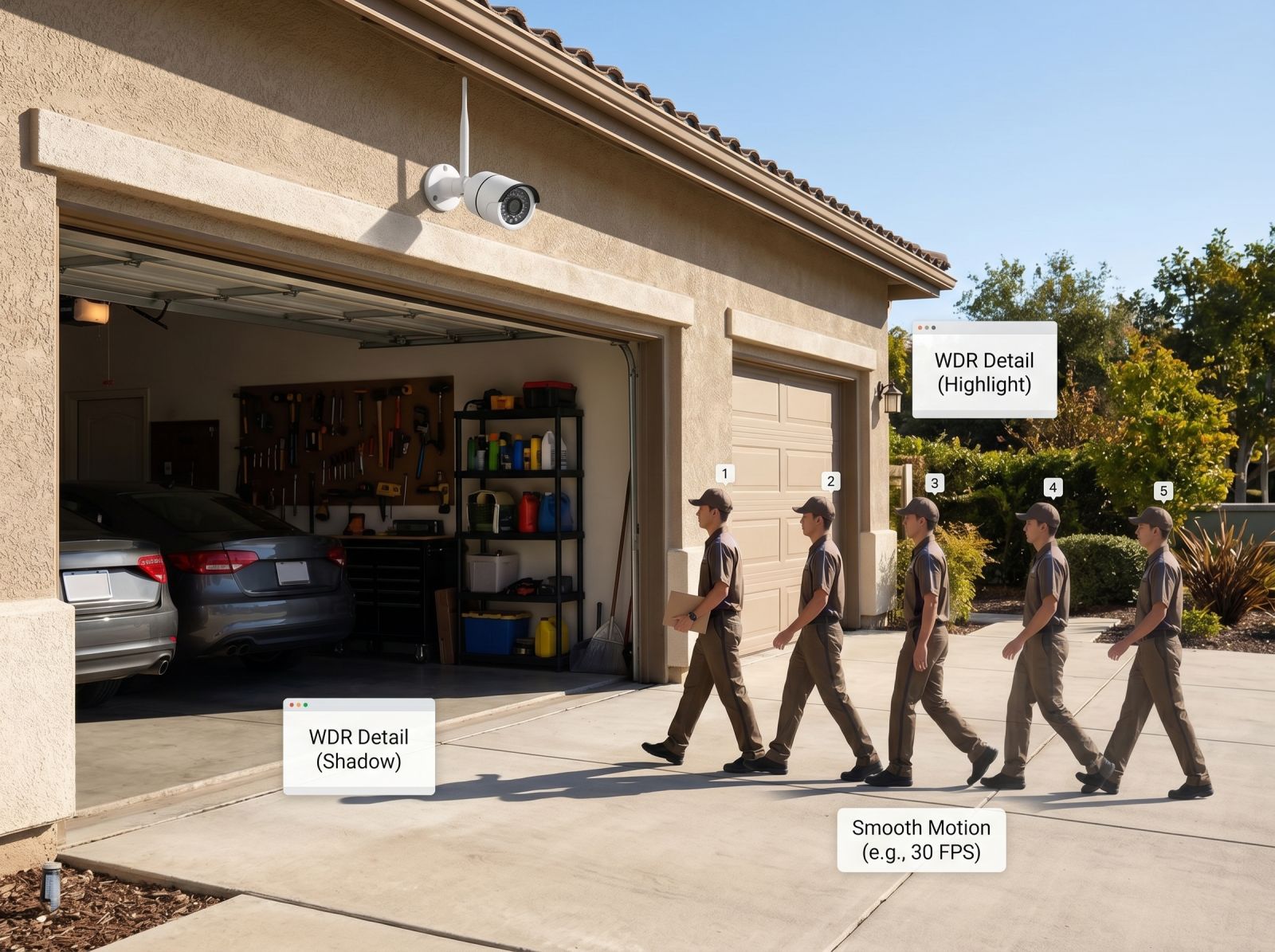
Frame rate is another feature that can affect how smooth footage looks. A smoother recording may make moving objects easier to review. For example, if someone walks past your front gate or a vehicle moves across the driveway, smoother footage can help you see the sequence more clearly.
The best image is not always the sharpest image on paper. It is the one that gives you usable detail when something actually happens.
How a CCTV camera handles detail after dark
Night-time monitoring is one of the most important areas to compare. Many CCTV cameras offer night vision, but the quality can vary depending on the sensor, infrared range, lighting conditions, and placement.
Infrared night vision can help capture footage in low light without needing a bright visible light. Some models may also offer colour night recording when there is enough ambient light or built-in illumination. This can be useful around porches, side paths, driveways, or small business entrances.
When checking night performance, think about the distance you need to cover. A short entryway may not need the same night range as a long driveway or rural property boundary. Also consider whether nearby reflective surfaces, such as glass, number plates, or metal gates, could affect the footage.
Good night vision should help you understand what happened, not just show vague movement in the dark.
Motion detection that reduces unnecessary alerts
Motion alerts can be helpful, but only when they are relevant. A camera that alerts you every time a tree branch moves, a car passes, or a pet walks by can become annoying very quickly.
Look for motion detection settings that let you adjust sensitivity. This helps you decide how easily the camera should react to movement. Some devices also allow activity zones, where you can choose which part of the image matters most. For example, you may want alerts from your front door but not from the footpath beyond your fence.
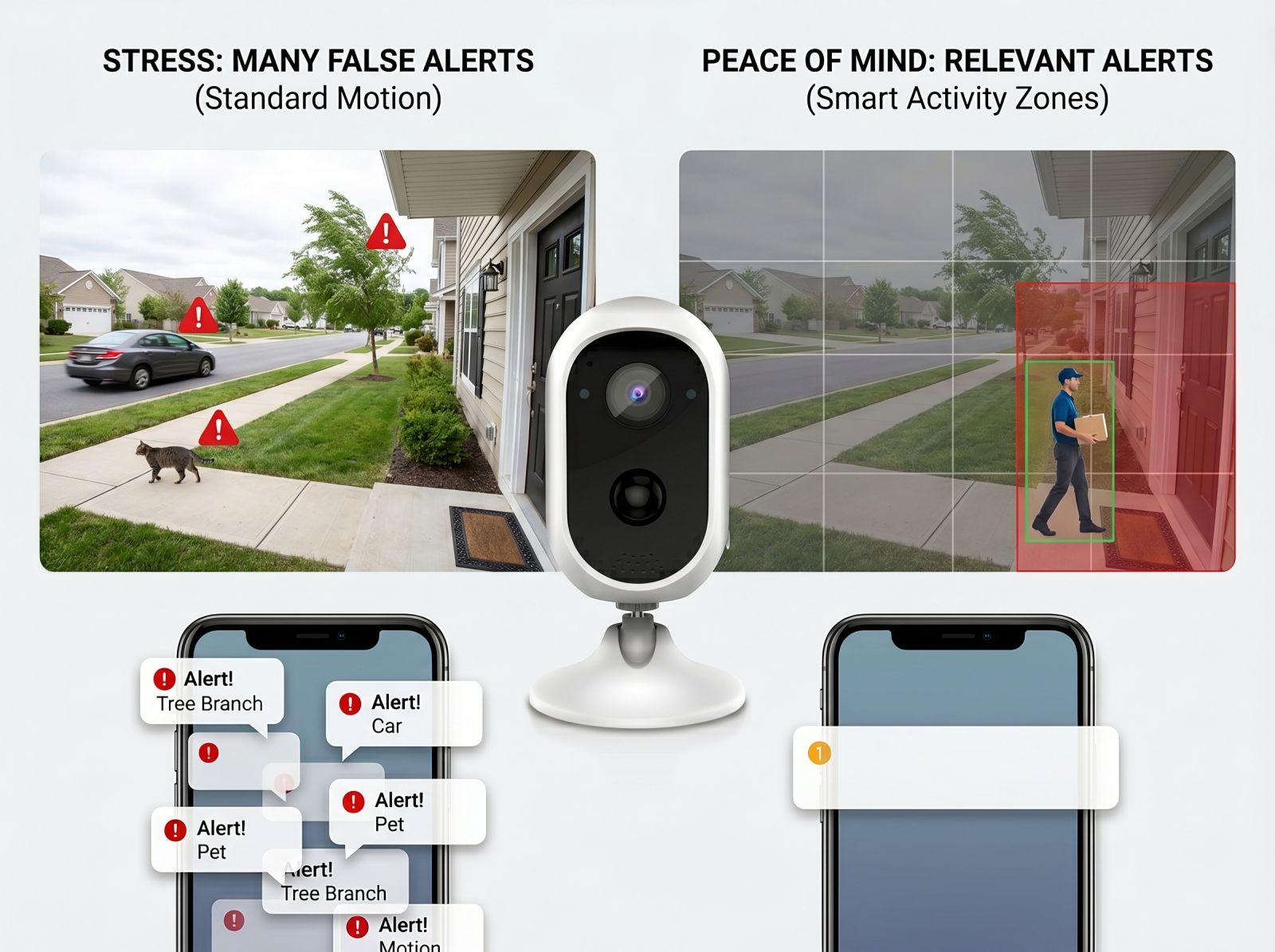
This is especially useful for home security cameras installed near busy streets, shared driveways, apartment hallways, or areas with regular movement. Better alert control can make your system easier to live with because you are more likely to pay attention when a notification arrives.
Storage options that suit how you monitor
Storage is often overlooked until you need to find footage. Some systems use local storage, some use cloud storage, and others may support both. Each option has practical advantages.
Local storage can be useful for people who want footage saved directly to a memory card, recorder, or connected device. Cloud storage can make it easier to access footage remotely, depending on the service and setup. The right choice depends on how often you review recordings, how long you want to keep them, and whether you prefer local access or remote viewing.
It is also worth checking whether the camera records continuously, only when motion is detected, or through scheduled recording. Motion-based recording may save storage space, while continuous recording may suit areas where you want a fuller timeline.
Before choosing a model, think about what you would do if you needed to review footage from yesterday, last week, or after a weekend away.
Power and connection features that make setup easier
Installation is much smoother when the camera suits the location. Power access and internet connection are two of the biggest practical considerations.
Wireless security cameras can be useful where running long cables is difficult or where a cleaner installation is preferred. They may suit renters, small homes, sheds, garages, or areas where flexible placement matters. However, it is still important to consider Wi-Fi strength, charging needs, and how far the unit will sit from your router.
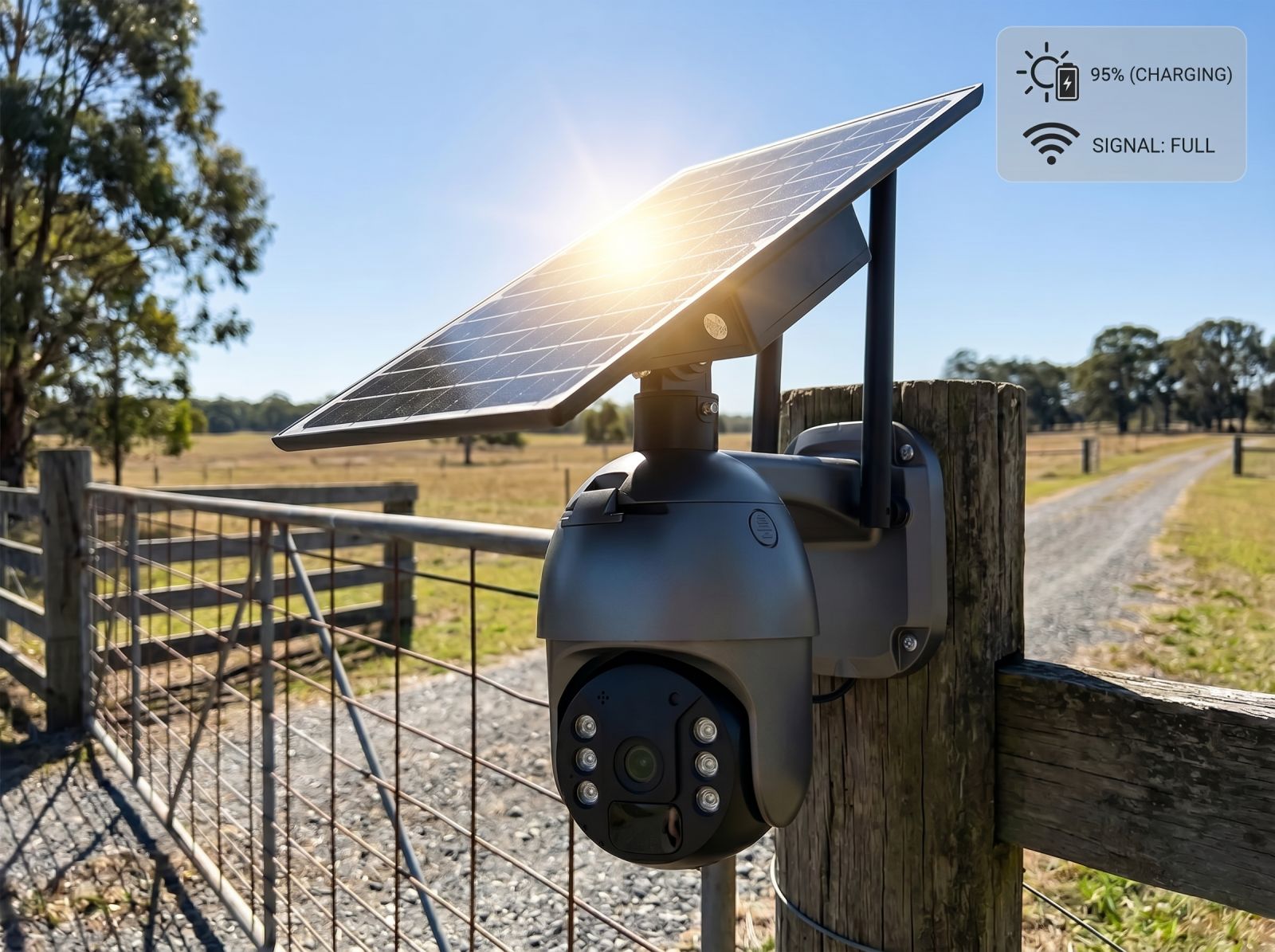
For spots with limited access to power, a solar security camera may be a practical option. This type of setup can be useful for gates, driveways, farms, caravans, sheds, or remote areas where frequent charging is inconvenient. Solar performance will depend on sunlight exposure, placement, weather, and battery capacity, so the panel needs to be positioned thoughtfully.
A good setup starts with the location. Choose the camera around the site, not the other way around.
Weather resistance for Australian conditions
Outdoor placement brings extra challenges. Heat, rain, dust, wind, and direct sun can affect long-term usability. If the camera will be installed outside, check the weather rating and make sure it is suitable for the exposure level.
Outdoor security cameras should be placed where they can monitor the right area while still being protected where possible. Under eaves, near covered entries, and on sheltered walls may help reduce exposure to harsh weather. For fully exposed locations, durability becomes even more important.
Also consider cable protection, mounting strength, and angle. A camera that shifts during strong wind or sits directly in harsh glare may not perform as well as expected. Practical placement can improve both footage quality and device reliability.
App controls and privacy settings worth checking
A good app can make your camera easier to use every day. Useful app features may include live view, playback, motion alerts, recording controls, device sharing, and notification settings.
Privacy settings are also important. Look for options that help you manage access, such as account passwords, device permissions, and shared user controls. If several people in a household or workplace need access, it helps to know who can view footage and adjust settings.
It is also worth checking how easy it is to silence notifications, change detection zones, review saved clips, and update device settings. A camera may have strong hardware, but if the app is hard to use, the overall experience can feel frustrating.
Helpful extras that improve daily use
Some smaller features can make a big difference over time. Two-way audio may be useful for speaking to someone at the door, checking in near a garage, or communicating around a small business entrance. A siren or spotlight may help draw attention when motion is detected, depending on the model and setting.
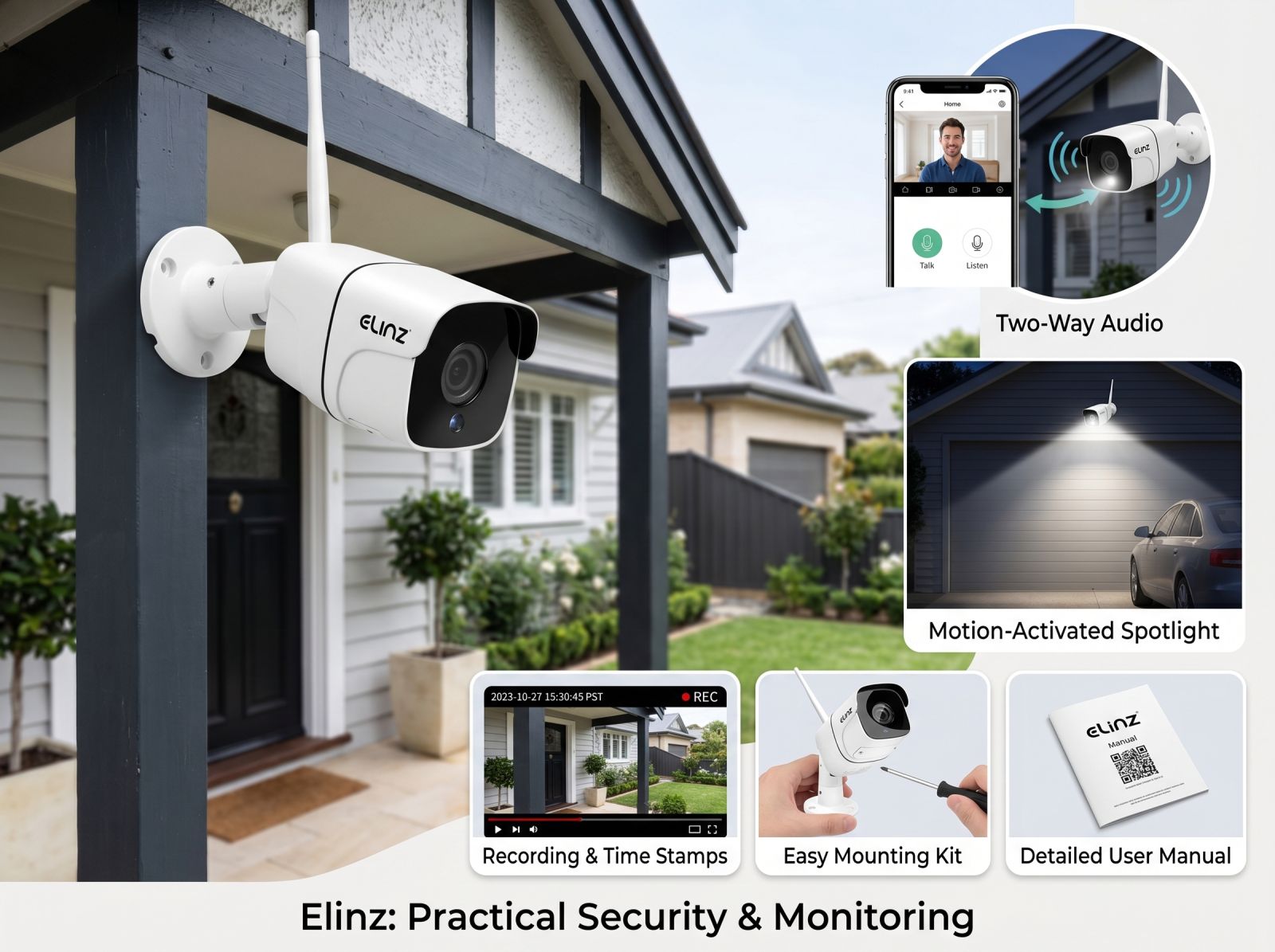
Other helpful extras can include time stamps, audio recording, playback filters, multiple user access, easy mounting hardware, and support resources such as manuals or troubleshooting guides. These details may not sound exciting, but they can make setup and daily use much easier.
For Australian customers comparing practical electronics, Elinz offers security and monitoring products that can suit different home, vehicle, outdoor, and everyday needs. The best approach is to compare features based on how and where you plan to use the device.
Common mistakes to avoid when choosing a camera
One common mistake is buying based only on resolution. Clear footage matters, but motion detection, night performance, storage, app controls, and weather suitability are just as important.
Another mistake is ignoring placement. A camera installed too high, too low, too far from the router, or directly into harsh sunlight may not perform at its best. Before installing, test the viewing angle and connection strength.
It is also easy to overlook future access. Think about who needs to view footage, whether you want remote access, and how easily you can review recordings if something happens.
A security setup should fit your routine. The easier it is to use, the more useful it becomes.
Frequently asked questions
What feature should I check first when buying a camera
Start with the location. Decide whether the camera will be used indoors, outdoors, near power, away from power, close to Wi-Fi, or in a high-movement area. This helps narrow down the right features.
Is higher resolution always better
Higher resolution can help capture more detail, but it is not the only factor. Lighting performance, motion handling, lens quality, storage, and placement also affect how useful the footage will be.
Do I need night vision
Night vision is useful if the camera will monitor entries, driveways, yards, garages, or business areas after dark. Check the night range and whether the location has enough light for clear recording.
How can I reduce false alerts
Look for adjustable motion sensitivity and activity zones. Good placement also helps. Avoid aiming the camera at busy roads, moving trees, or areas where pets regularly pass unless those areas are important to monitor.
Should I choose local or cloud storage
Local storage may suit users who prefer footage saved on a device or memory card. Cloud storage may suit users who want easier remote access. Some people prefer a setup that supports both for added flexibility.
Choosing smarter security camera features
The best camera is not always the one with the longest feature list. It is the one that suits your property, your routine, and the conditions where it will be installed. Look beyond basic resolution and compare practical features such as night vision, motion detection, storage, app controls, weather resistance, power options, and installation flexibility.
These hidden details can make monitoring easier, reduce frustration, and help you get more useful footage when it matters. If you are comparing options and looking for the best CCTV camera in Australia, explore Elinz security products and support resources to find a practical setup for your home, driveway, outdoor area, or everyday monitoring needs.
Did you enjoy reading this article?
Stay updated on our latest deals and promos by following our social media accounts.
Find this article helpful? Don't forget to click on the share buttons below.